Redesigning a Coffee Brewing App
A side project I’ve been enjoying working on in my spare time. I use a great app that I decided to take as a starting point and redesign for fun.
I’ve been interested in coffee culture for a while now — trying different beans, recipes, and brewing methods. At home I usually brew with a simple plastic pour-over dripper. For a long time I had one or two go-to recipes I’d use every day.
Lately I’ve been getting a bit deeper into the details and nuances — thanks to my good friend Sasha.
I tried keeping recipes on my phone, writing them in a paper notebook, but none of that worked particularly well for me. Eventually I found an app that solves all the real problems. It has popular recipes, a timer that guides you through each pour at the right moment with the right ratios, and you can even add notes about the coffee you’re brewing and keep a brewing journal. The app is really well made and does its job, but the visual design, in my humble opinion, has room for improvement.
Highly recommend this app — Timer.Coffee. Great recipes, a wide variety of brewing methods, and a handy timer.
I hadn’t had a side project in a long time. Some motivation appeared out of nowhere, and I thought I’d try making my own design for my favorite app. Where this leads — I don’t know yet…
I started with the timer screen. I want this app to have a distinct style and character, with the emphasis on the timer and the current step.
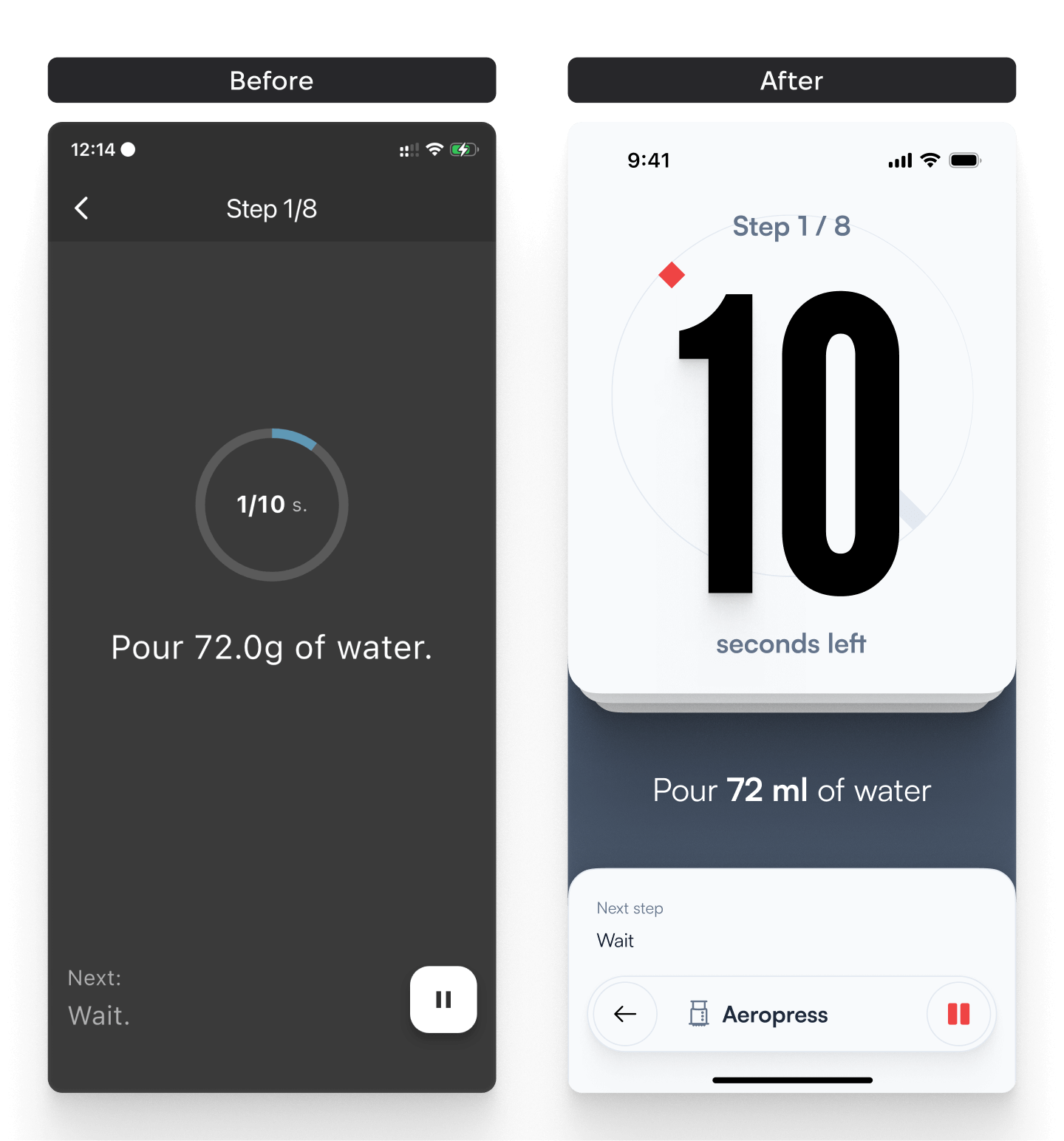
Now I’m working on the recipe screen. A lot of information and extra features can be packed into a more compact form — that’s what I’m trying to do:
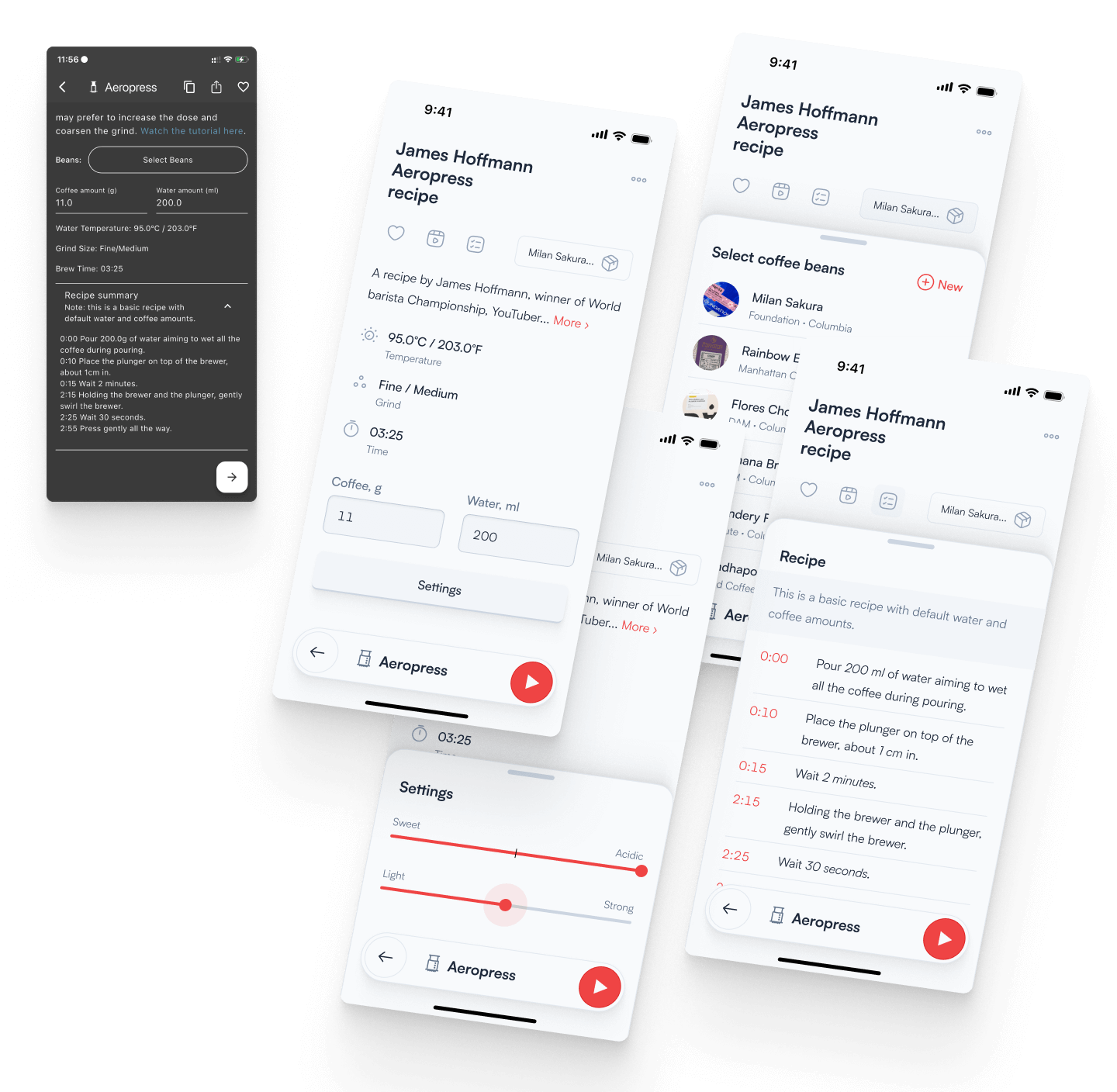
- The coffee input can be made more compact and informative, without taking up much visual weight, and grouped with the other settings.
- More emphasis on the core recipe parameters: time, temperature, and grind size.
- The recipe description isn’t important enough to take up that much space. If you want to dive into the backstory, you can tap and read more.
- Favoriting, watching the video, and the full step-by-step recipe have moved to icons at the top. The full recipe timeline is now visible — previously it was hidden off-screen.
- Recipe settings can be tucked away in a separate modal that opens on demand.
I put together a simple prototype so you can see how it all works in motion.
Bottom navigation is a real convenience — constantly reaching up to the top gets tiring. It’s gradually becoming standard practice as platforms start moving navigation, search, and other interactive elements to the bottom. Anyone who wasn’t afraid to do this before it became mainstream deserves real respect.
There’s a lot still to work on, but I like where it’s starting and it’s very motivating to keep going.